It’s Monday morning. Your office manager can’t open the client spreadsheet. Then nobody can open anything on the shared drive, every file has a strange new ending, and there’s a note on the desktop telling you to pay in Bitcoin if you want your data back.
It feels like it happened overnight, but it almost never does. By the time the ransom note appears, the criminals have usually been inside your systems for days. This blog walks through how a ransomware attack works, stage by stage, so you can see where it could have been stopped and what to do if it’s already happening. Knowledge is power.
What is ransomware?
Ransomware is a type of malware that encrypts your files so you can’t use them, and the criminals behind it demand a ransom to give them back. Most modern ransomware does two things. It encrypts your files, so they’re unreadable without a decryption key, and it steals a copy of them first, so the cybercriminals can threaten to publish your sensitive data if you don’t pay. That second part is called double extortion, and it’s why good backups alone don’t make the problem go away.
There’s more than one type of ransomware. Locker ransomware locks you out of the whole device. Encrypting ransomware, the kind that hits businesses, leaves the computer working but scrambles the files. Many attacks now come from ransomware as a service (RaaS), where one criminal group writes the ransomware and rents it to others, who carry out the attacks and split the money. That’s why attacks on small and medium businesses are so common: the people running them don’t need to be technical experts.
How does ransomware work?
The short answer: someone gets into your systems, looks around unnoticed, takes a copy of your data, turns off what might stop them and then encrypts everything at once, usually at night or over a weekend. The ransom demand comes last.
Security company Sophos investigated 661 incidents for its 2026 Active Adversary Report. In a typical case, three days passed between someone getting in and being spotted. Once inside, attackers typically took just 3.4 hours to reach the server that controls everyone’s logins. And a huge 88% of ransomware was set off outside business hours, when most offices are empty.
These are the stages of a ransomware attack, in the order they usually happen.

Stage 1: How does ransomware get in?
Ransomware typically gets in the same ways most cyber attacks do. The three most common routes are:
- Phishing emails and other social engineering. A fake invoice, delivery note or shared document that gets someone to enter their password on a fake login page, or open a malicious file. We explained how these attacks are aimed at different people in phishing vs spear phishing vs whaling.
- Stolen or guessed passwords. Attackers try passwords leaked from other websites, or guess weak ones, against your Microsoft 365, remote desktop or VPN logins. Sophos found brute-force password guessing was almost as common a way in as exploiting software flaws, and multi-factor authentication (MFA) was missing in 59% of the cases it investigated.
- Unpatched software. A firewall, VPN or server that’s missed its updates can have a known flaw attackers can exploit without needing anyone’s password. This is how WannaCry spread in 2017, hitting NHS trusts through a Windows flaw that had already been patched for anyone who’d installed the update.
In the alerts our monitoring raises for the businesses we support, one we see regularly is a sign-in where the password was right but the login was blocked anyway, because it came from an unexpected country or device. The attacker had the password. MFA and Conditional Access in Microsoft 365 were the only things in the way. If you think one of your accounts has already been taken over, our guide on how to tell if your email has been hacked explains the signs.
Stage 2: Looking around and spreading
Getting in is only the start. One laptop or one mailbox isn’t worth much of a ransom, so their next job is to spread across your network and find what matters. This is the part people don’t see, and it’s where most of those three days go. Typically they:
- look for accounts with admin rights, or give themselves admin rights
- map your network: file shares, servers, the finance system, the backups
- install a legitimate remote access tool, such as AnyDesk or RustDesk, so they can get back in even if the original route is closed
- use ordinary Windows admin tools to move from one computer to the next, which looks much like your IT team doing their job
That last point is why ransomware spread is hard to spot with antivirus alone. Very little of it involves malicious files at this stage; it’s someone using real accounts and real tools in the wrong way.
Stage 3: Taking a copy of your data
Before anything is encrypted, they copy what they think you’ll pay to keep private: client records, HR files, contracts, financial information. Sophos found 79% of this data theft happened outside office hours, when a big upload is less likely to be noticed.
This is the stage that turns a ransomware incident into a data breach. Even if you can restore every file from a backup, the criminals still hold a copy, and the threat to publish it is what they use to demand payment.
Stage 4: Switching off your defences
Just before the files are locked, they clear the way. They try to uninstall or disable your security software, add exclusions so it ignores their files, and delete or encrypt any backups they can reach. Backups connected to the same network, or protected by the same admin password, are the first to go. That’s why the NCSC says it’s essential to keep a recent offline backup, kept separate from your network and ideally offsite.
Stage 5: Encryption and the ransom demand
Then the ransomware payload is set off, often late on a Friday or over a bank holiday weekend. It infects every computer and server it can reach and encrypts the files as fast as it can. When people arrive in the morning, the ransom note is waiting: a text file or a changed desktop wallpaper, a demand for payment in cryptocurrency, a deadline, and a threat to publish the stolen data if you don’t pay.
By this point, the attack is over. Everything after this is recovery.
Where a ransomware attack can be stopped
Every stage before encryption is a chance to stop it. The earlier it’s caught, the less there is to recover.
| Stage | What stops it |
|---|---|
| Getting in | MFA on every account, Conditional Access, prompt updates on firewalls and servers, and staff who report suspicious emails |
| Spreading | Separate admin accounts used only for admin work, alerts when new admins appear, and monitoring that flags unexpected remote access tools |
| Taking data | Limiting who can reach sensitive files, and someone watching for large uploads at odd hours |
| Switching off defences | Tamper protection on your security software, and an alert the moment it’s uninstalled or changed |
| Encryption | Security software that spots mass encryption and isolates the device, plus offline backups you’ve tested |
None of these ways to prevent ransomware is exotic. Most of them are covered by Cyber Essentials, the government-backed scheme that sets out the basic controls every business should have. Our blog on the most common security gaps we see in growing businesses is a good place to check your own.
What our engineers watch for
Because so much of a ransomware attack looks like normal admin work, the early signs are small. These are the alerts our engineers treat as urgent, because each one can be an attacker getting ready:
- A correct password used from somewhere unexpected. Even when the login is blocked, it means someone has that password, so we reset it and sign the account out of every device.
- A new global admin in Microsoft 365. Admin rights are what an attacker needs to spread, so a new admin nobody asked for raises a ticket for an engineer to check.
- Security software uninstalled, stopped or given new exclusions. Usually there’s an innocent reason. Sometimes it’s stage 4.
- A remote access tool appearing on a computer. If nobody on your IT team installed it, someone needs to find out who did.
Most of these turn out to be harmless. What matters is that each one gets looked at by a person, at any hour. For the businesses we look after, alerts go to the 24/7 security operations centre (SOC) run by our security partner Huntress, so an alert at 2am on a Saturday is dealt with at 2am, not on Monday morning.
How common are ransomware attacks in the UK?
Whilst attacks are actually less common than you might expect, they hit harder than almost anything else. In the government’s Cyber Security Breaches Survey 2025/2026, 1% of UK businesses said they’d had a ransomware attack in the last year, down from 3% in each of the previous two years. Over the same period, 43% of businesses had some kind of cyber security breach or attack.
So ransomware is rare, but when it does happen, it can stop a business working for days or weeks, and the reputational damage of telling clients their data was stolen can last much longer. Our blog on the cost of a cyber attack covers what that downtime adds up to, and our lessons from the biggest breaches of 2025 shows what recovery looked like for some well-known UK names. The same survey found only 25% of businesses have a formal incident response plan, which means most would be working out what to do on the morning it happens.
How to respond to a ransomware attack
If you come in to a ransom note, or think a computer is infected with ransomware, the first hour matters. In order:
- Disconnect, don’t switch off. Unplug the network cable and turn off Wi-Fi on any device that looks infected, so it can’t spread further. Leave it powered on unless your IT team says otherwise, as it may hold clues about how the attack started.
- Call your IT provider straight away. If you don’t have one, our emergency cyber security page has steps to follow while you wait.
- Call your insurer straight away if you have cyber cover. Many policies have an incident helpline and ask you to call it before you do anything else.
- Don’t contact the attackers, and don’t pay yet. Take advice first.
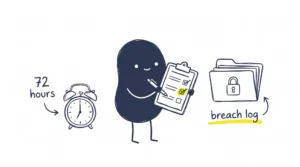
- Report it. Report the crime to Report Fraud. If personal data may have been stolen, you’ll probably need to report it to the ICO within 72 hours of finding out.
Should you pay the ransom?
The NCSC and the police don’t encourage paying, and we agree. Paying doesn’t guarantee you get your files back, your systems are still compromised, and businesses that pay are more likely to be targeted again. If your data has been stolen, you also have to take the criminals’ word that they’ll delete it, which isn’t worth much.
The decision is yours, though, and some businesses do pay when they have no other way to recover. If you’re in that position, take legal advice and speak to your insurer first. The NCSC’s guidance for organisations considering payment sets out what to think about. The better answer is making sure you never have to decide: tested backups that the attacker can’t reach, so you can restore instead.
How we help
At Ingenio, we look after businesses across Brighton, Sussex and the South East. Our managed cyber security service includes 24/7 device monitoring backed by Huntress’s 24/7 SOC, so warning signs like the ones above are picked up and dealt with at any hour, including the nights and weekends when most ransomware is set off. We set up MFA and Conditional Access, keep your systems patched, and keep backups on a separate server that can’t be changed or deleted, even with an admin password. We also offer Microsoft 365 backup for your email, OneDrive and SharePoint.
We also help businesses get Cyber Essentials certified, and we’ve held Cyber Essentials Plus ourselves since 2018.
Frequently asked questions
Can antivirus stop ransomware once it’s started?
Sometimes. Modern security software, often called endpoint detection and response (EDR), watches for behaviour like hundreds of files being encrypted at once and can stop the process and isolate the device. But attackers try to switch it off first, which is why tamper protection, and someone watching the alerts, matter as much as the software itself. For the businesses we look after, that’s Huntress’s 24/7 SOC.
How does ransomware spread on a network?
Mostly by using real accounts. Once someone has an admin password, they can log in to other computers and servers with ordinary Windows tools, just as an IT engineer would. Some older ransomware spread on its own through software flaws, which is why updates still matter.
What is the 3-2-1 rule for ransomware?
It’s a backup rule: keep three copies of your data, on two different types of storage, with one copy offsite. For ransomware, the important part is that at least one copy is offline or can’t be changed or deleted with your normal admin passwords, and that you’ve tested restoring from it.
Is it illegal to pay a ransomware ransom in the UK?
For most private businesses, paying isn’t illegal in itself, but it can be if the money ends up with a group under UK sanctions, and you often can’t tell who you’re paying. The government has also announced plans to ban payments by public sector bodies and critical national infrastructure. Take legal advice before paying anything.
Can you recover files from ransomware without paying?
Usually, if you have good backups the attacker couldn’t reach. For some older types of ransomware, free decryption tools are available from the No More Ransom project. If you use Microsoft OneDrive, you can also restore your whole OneDrive to a point in the last 30 days, but that won’t cover files saved only on your computer or server.
Final thought
The ransom note is the last step of a ransomware attack, not the first. There are usually days in between when the right alert, seen by the right person, stops it. Make sure someone is watching, and that your backups are somewhere the attacker can’t reach.
👉 Talk to us about protecting your business from ransomware. We’re happy to talk it through.