
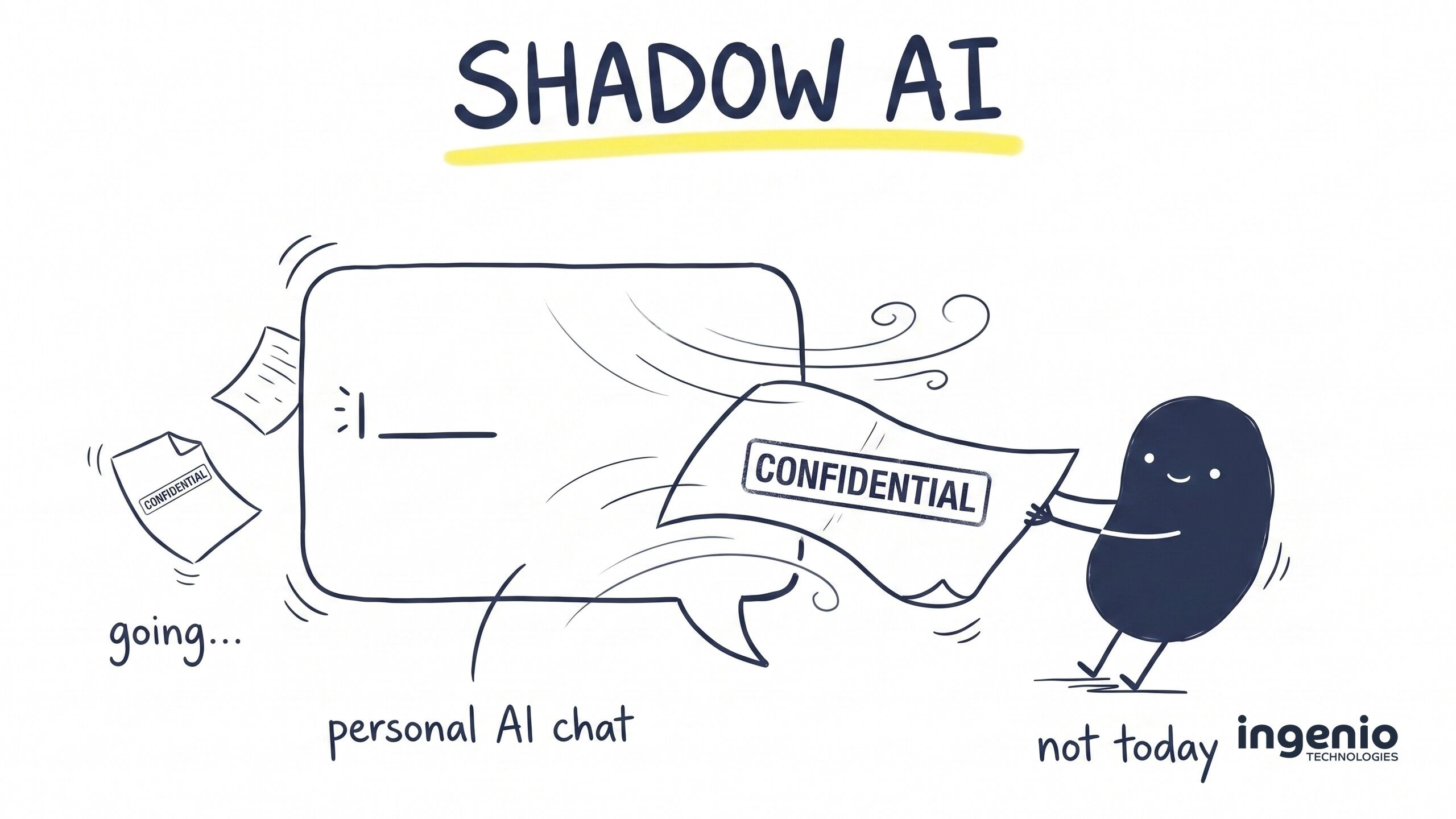
Picture a normal Tuesday. Someone in your accounts team has a confidential board paper to summarise before a meeting. They copy it into the AI chatbot they use at home, their personal account signed up with a personal email, and get a tidy summary back in seconds. Job done. That evening they open a laptop at home, log into the same chat, and there it is: your board paper, sitting on a device you’ve never seen, in an account you don’t control.
Nothing was hacked. No alert fired. Nobody did anything malicious. And that’s exactly the problem. This is shadow AI, and it has quietly become one of the biggest security blind spots for small and medium businesses in Brighton, Sussex and everywhere else.
The uncomfortable bit
The moment a document goes into a personal AI account, it leaves your control. It sits on a third party’s servers and syncs to every device that account logs into, including a home laptop you can’t touch, can’t audit and can’t wipe.
What is shadow AI?
Shadow AI refers to staff using generative AI tools at work without approval, oversight or security controls. Security vendors tend to call these unauthorized AI tools (they do love an American spelling); most people would just call it “using ChatGPT to get the job done”.
Shadow IT refers to the unapproved software and cloud apps that have crept into businesses for years; shadow AI is its faster-moving cousin. The difference between shadow IT and shadow AI is what happens to your data. An unapproved file-sharing app mostly just stores information somewhere it shouldn’t be. Unsanctioned AI processes it: the content of your documents passes through AI systems built on large language models, may be retained in chat history, and on some free consumer tiers can even be used to train AI models.

That’s why shadow AI introduces unique risks that traditional shadow IT never did. It is also why shadow AI requires its own answer, not just a recycled web-filtering policy.
One thing worth saying plainly: your team isn’t doing this to be reckless. The benefits of AI are real, and people use it because it genuinely lifts their productivity. That’s precisely why heavy-handed bans fail.
Common examples of shadow AI
Shadow AI often starts innocently. The most common shadow AI tools we see in Sussex businesses are personal chatbot accounts such as ChatGPT, Claude or Google Gemini, used with the best of intentions. But the list is longer than most owners expect:
- Personal chatbot accounts – the confidential-document scenario above. By far the biggest source of shadow AI use.
- AI meeting note-takers – bots joining video calls and recording everything, including the commercially sensitive parts.
- Browser extensions – a browser extension that “summarises any page” can usually read every page, including your CRM and webmail.
- Embedded AI features – software as a service (SaaS) products you already pay for keep sprouting extra AI capabilities, often switched on by default.
- DIY automations – staff wiring up AI workflows with automation tools and third-party AI services and APIs nobody has vetted.
Staff sign up for new AI tools every week; there are that many AI products launching, each with its own potential security risks, each widening your attack surface a little more. Keeping a manual list is a losing game, which is why discovery matters more than paperwork.
The risks of shadow AI
The shadow AI risk isn’t one thing. When employees use AI tools outside your control, four problems stack up quickly:
1. Your data leaves, silently. A personal account syncs everywhere its owner logs in. There’s no data loss prevention on an account you don’t own. It’s data exfiltration with no alarm attached, and it’s what makes shadow AI a significant risk rather than a theoretical one.
2. The legal exposure is real. Under the UK General Data Protection Regulation (UK GDPR), sending personal data to an external AI provider with no contract in place is a processing arrangement you can’t defend. Client confidentiality clauses and intellectual property are just as exposed. If you trade in Europe, the EU AI Act adds another layer of regulatory compliance. A data breach you can’t investigate is bad; one you were never able to see is worse.
3. Free tiers have different rules. Consumer AI products often use conversations to improve their models unless you opt out in the privacy settings. Business plans typically don’t train on your content by default; that’s one of several reasons the paid tiers matter.
4. When people leave, the data goes too. A leaver’s personal account, and every company document ever pasted into it, walks out of the door with them. There’s no offboarding step that fixes that.
| Personal AI account | Business AI account | |
|---|---|---|
| Who controls it | The employee | Your business, via admin console |
| Trains on your data | Sometimes, by default | No, by default |
| Audit trail | None | Admin logs, including file uploads |
| Sign-in | Personal email, any device | Company identity, MFA, device rules |
| When someone leaves | Account and data go with them | Access revoked in one step |
Why banning AI outright doesn’t work
Technology bans rarely survive contact with a deadline. The reflex answer is to block every AI website and move on, and it reliably backfires. When employees adopt AI faster than the business can keep up, a blanket ban doesn’t stop the behaviour; it just moves it onto the mobile app on a personal phone, where you have no visibility at all, spreading the risk across devices you’ll never see. The unsanctioned use of AI carries on, minus any chance of spotting it.
The goal is safe AI adoption rather than prohibition: govern AI use properly, give people a good tool, and make the risky route the inconvenient one.
How to protect against shadow AI
Here’s the playbook we recommend. It’s two halves of one job: provide an AI tool you control, and manage the ones you don’t.
1Give people a sanctioned AI tool
Anthropic’s Claude for Work, OpenAI’s ChatGPT Business or Microsoft 365 Copilot all give you what the free consumer versions never will: your content isn’t used for training by default, sign-in is tied to your company identity, admins get audit logs and retention controls, and when someone leaves you revoke AI access centrally; the home login dies with it. Most of the temptation to use a personal account disappears the day a better, faster, official option exists.
2Label your sensitive data first
Data loss prevention can only protect what it can recognise. Sensitivity labels, applied through Microsoft Purview, turn information sensitivity into something tooling can act on: a document marked “Confidential” becomes one the rest of your stack can recognise. Skip this step and every control downstream is guessing.
3Stop leaks at the endpoint
Microsoft Purview Endpoint DLP can block, or warn and ask for a justification, when someone tries to upload or paste a labelled document into AI websites. It covers ChatGPT, Claude, Google Gemini and others out of the box, in every major web browser: Edge, Chrome and Firefox. This is the control that directly stops the board-paper scenario on a managed device.
4Watch the network
A cloud access security broker such as Microsoft Defender for Cloud Apps will discover shadow AI across the business: which AI applications are in use, by whom, and how often. That visibility into AI usage is something a policy document never gives you. You finally see where AI is being used, sanction your chosen tool, and warn on or block unapproved AI tools, turning unmanaged AI from an unknown into a short, reviewable list.
5Tie access to identity and devices
Conditional Access policies mean your sanctioned tool only works from compliant, managed devices with multi-factor authentication. That closes the “opens it at home” gap for the tool you control. You can’t apply any of this to someone’s personal account, which is exactly why the personal accounts get blocked and the business one gets promoted.
6Write the policy, then actually train people
A short, readable AI policy beats a twelve-page one nobody opens. Say what’s allowed, what isn’t, and who to ask. Then tell people the approved route exists. Most staff sharing sensitive work information with AI tools had no idea there was a safer option. Pair the policy with cyber security awareness training so the “why” lands as well as the “what”.
For your business
If you’re already on Microsoft 365, a surprising amount of this is sitting in your existing licensing. The endpoint DLP and AI-specific controls generally need Microsoft 365 E5 or the Purview add-ons – worth pricing up before you buy a standalone product that does less.
How we help
We’re an IT support and security company in Brighton, and we lean on AI heavily in our own business, so this isn’t an anti-AI lecture. It’s the same “safe adoption” playbook we run for ourselves, packaged for our clients: discovery of what’s actually in use, help adopting AI tools that are worth sanctioning, data security and DLP configuration in Microsoft Purview, a plain-English AI policy, and ongoing managed cyber security so shadow AI governance doesn’t quietly lapse six months in.
We’ve also written about the other side of this coin, how attackers now use AI, in our guide to AI phishing attacks. The two make a good pair: AI security is about what comes in as much as what leaks out.
Frequently asked questions
What is shadow AI?
Shadow AI is the use of artificial intelligence at work without the organisation’s approval or oversight: AI tools without security controls, typically personal accounts. Most of it involves generative artificial intelligence: chatbots that write, summarise and answer. It’s the AI-era evolution of shadow IT.
What is an example of shadow AI?
The classic example: an employee pastes a confidential document into a personal ChatGPT or Claude account to summarise it, then opens that same chat later on a home laptop. Other examples include AI agents and meeting note-takers joining calls uninvited, browser extensions with generative AI baked in, and developers pasting source code into a personal chatbot to debug it.
What are the legal risks of shadow AI?
The biggest legal risks associated with shadow AI in the UK are UK GDPR breaches (personal data processed by a third party with no contract or lawful basis), broken confidentiality clauses with clients, and loss of intellectual property protection. Sector rules and the EU AI Act can add more, depending on who you trade with.
How can I detect shadow AI in my organisation?
Network and cloud-app discovery tools (such as Microsoft Defender for Cloud Apps) report which AI sites and services staff actually use. Combine that with an honest, no-blame conversation; an amnesty on past AI usage tells you more than any dashboard, and it’s the first step in managing shadow AI rather than chasing it.
Does approving AI tools prevent shadow AI?
Mostly, yes; it removes the reason people go around you. But to prevent shadow AI properly, pair the approved option with monitoring and sensible blocking. Think of AI risk management as a habit, not a one-off project: new tools appear monthly, so addressing shadow AI is something you keep doing, not something you finish.
Final thought
Treat shadow AI as a signal rather than a discipline problem. Your team is telling you they want to work faster, and they’ll be using it with or without you. The businesses that come out of this well are the ones that channel that energy: one good tool, clear guardrails, and a bit of honest training.
If you’d like help working out what’s already in use across your business, or you want a second opinion on your setup, we’re happy to talk it through.

