
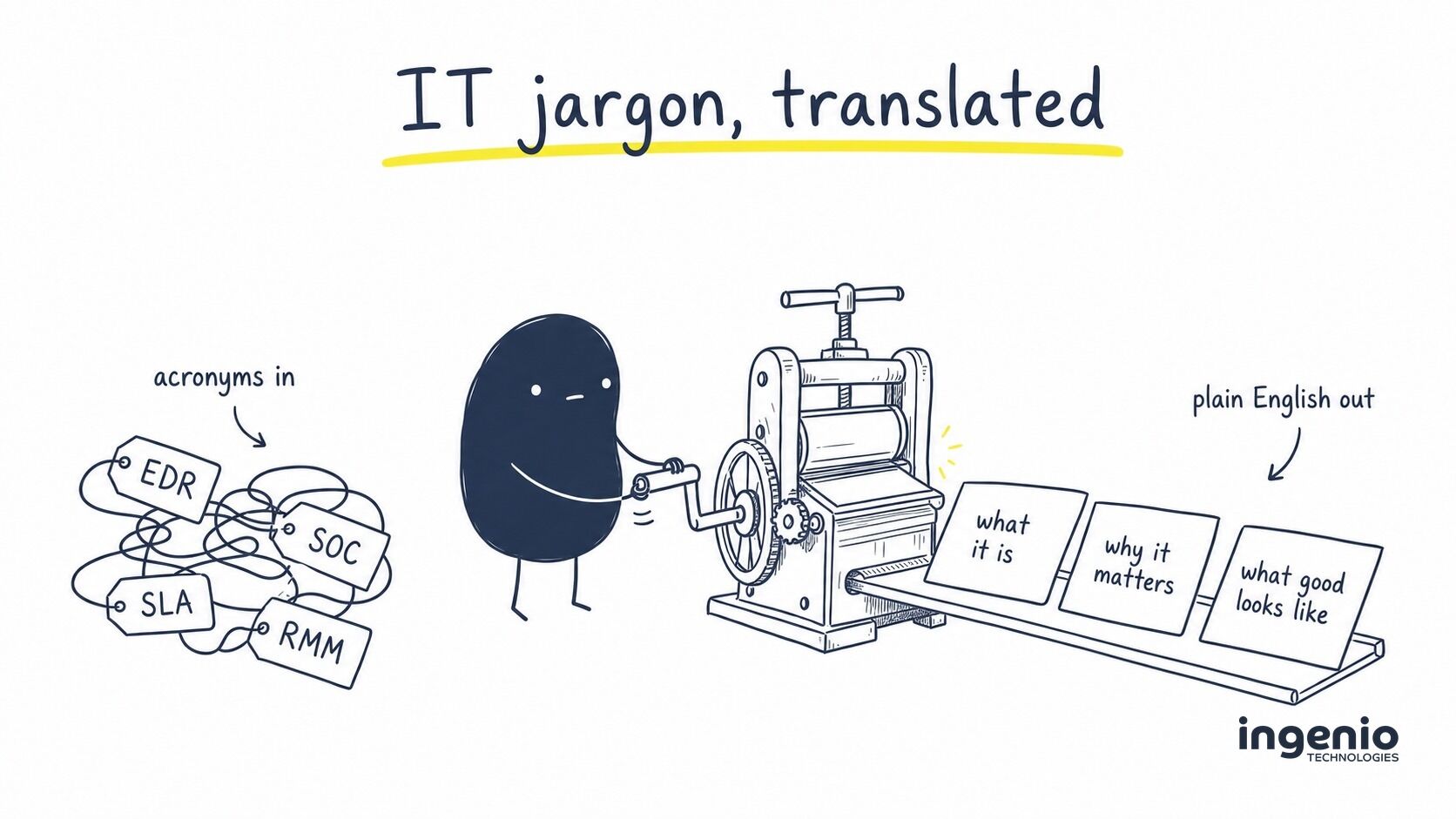
IT support has a language problem. A perfectly ordinary update can arrive with MDM, EDR, SOC and SLA in the same paragraph, as though everybody agreed what they meant years ago.
We should probably apologise. Our industry uses far too many acronyms, then forgets that most people have businesses to run rather than technical dictionaries to memorise.
This IT support glossary explains common IT terms and definitions in plain English. It is not a comprehensive glossary of every field of technology, or a list of products that every business must buy. It focuses on the unfamiliar terms you are likely to hear when dealing with information technology services. Each entry covers what the term means, why it matters and what good support looks like around it, so you can ask better questions of whoever looks after your IT.
Jump to a section
IT support and service terms · Devices and day-to-day management · Cyber security terms · Cloud, networks and phones · AI at work · Backup and recovery · Questions for your provider · Local and remote support
IT support terms and definitions
These support terms describe who is responsible for your technology, how help is organised and what you should expect when something goes wrong.
MSP (managed service provider)
An MSP is an external company that takes ongoing responsibility for another organisation’s information technology infrastructure. That normally includes technical support, maintenance, monitoring, security and planning, shaped around what the client needs. Most clients simply call the MSP “our IT company”. The important word is managed: somebody is actively looking after the systems, not only waiting for a phone call when they fail.
Managed IT support and break-fix support
Break-fix support is reactive. Something breaks, an engineer fixes it and charges for the work. Managed IT support is an ongoing service designed to prevent problems as well as resolve them. Monitoring, patching and regular reviews make the provider responsible for the health of the technology, not just the latest fault. That alignment is where much of the value comes from.
Service desk, help desk and ticket
The service desk is the team and system that receive support requests. Each request becomes a ticket with an owner, priority, history and status. That record stops work disappearing into an inbox and makes repeat problems visible. A good service desk does more than close tickets quickly: it notices when five separate complaints share one underlying cause and fixes that too.
SLA (service level agreement)
An SLA sets measurable expectations for the service, including response targets and how incidents are prioritised. An office-wide outage should be treated differently from one person’s printer problem. A useful SLA makes that distinction clear and tells you when to expect acknowledgement, progress updates and escalation. At Ingenio, every support request we receive is reviewed by a person in 15 minutes or less. That is our response SLA: it confirms the request has been seen and assessed, rather than pretending every problem can be fixed within 15 minutes.
Priority and escalation
Priority reflects business impact and urgency, not who shouts loudest. Escalation moves a ticket to somebody with the authority or specialist knowledge to resolve it. Good support teams explain the priority, keep the affected people updated and escalate before a delay becomes a second problem. The client should not have to chase repeatedly to make that happen.
Onboarding and offboarding
Onboarding prepares accounts, permissions, devices and applications for a new starter. Offboarding removes that access when somebody leaves and protects the organisation’s data. Both should follow a repeatable checklist agreed with the client. A smooth first morning is valuable; making sure a former employee cannot still reach email, files or shared passwords is essential.
Technology review, roadmap and vCIO
A virtual chief information officer, often shortened to vCIO, helps a smaller business plan technology without employing a full-time IT director. The label matters less than the work: reviewing risk, budgets, ageing equipment and business plans before decisions become urgent. Where regular reviews form part of the service, Ingenio uses them to connect day-to-day support with what the organisation is trying to achieve next.
What good support looks like
Clear ownership, visible progress and fewer repeat faults. The provider should be able to explain what is happening without hiding behind the ticketing system or a page of acronyms.
Devices, operating systems and day-to-day management
Much of a managed service happens quietly in the background. These are the technology terms behind keeping each computer system, laptop and mobile device usable, consistent and secure.
Endpoint
An endpoint is a device used to access company systems: a laptop, desktop computer, phone or tablet. It is called an endpoint because it sits at the edge of the computer network, where a person interacts with data and applications. Each endpoint forms part of the organisation’s wider computer system. Endpoint management and endpoint security are therefore about protecting the devices people actually work on, wherever those devices happen to be.
RMM (remote monitoring and management)
RMM software lets an IT team monitor, troubleshoot and maintain devices from a distance. It can report low disk space, failed updates, stopped services and other warning signs, while also giving an engineer secure remote access when support is needed. Used properly, RMM helps the team act before a small issue becomes downtime. It is one of the foundations of effective remote IT support.
Patch management
A patch is an update that fixes a fault or security weakness in an operating system, application or device. Patch management means deciding when updates should be installed, deploying them safely and checking which machines failed to receive them. Where Ingenio manages patching, our team follows up devices that missed an update. That follow-up matters: an automatic setting is useful, but checking the exceptions is how you find out what actually happened.
Asset register and hardware lifecycle
An asset register records the hardware and software a business owns, who uses it, its age, warranty and replacement date. Hardware lifecycle management turns that information into a plan. Rather than discovering that ten laptops are failing at once, the organisation can budget for replacements and reduce the time lost to slow or unreliable equipment. Ingenio uses this visibility to help clients plan rather than react.
MDM (mobile device management)
MDM applies company rules to mobile devices such as phones and tablets, as well as computers, from one central system. It can require encryption, set a screen lock, install work applications and remove company data from a lost device. Microsoft Intune is a common MDM platform for businesses using Microsoft 365. The value is consistent control: a device does not become invisible simply because it has left the office.
BYOD (bring your own device)
BYOD means staff using personal phones or computers for work. It can be practical, but the organisation still needs rules about company data, security and what happens when somebody leaves. MDM and app-protection policies can separate work information from personal photographs and messages. That gives the business control over its data without treating an employee’s phone as company property.
Provisioning and zero-touch deployment
Provisioning prepares a new device with the right applications, settings and security. Zero-touch deployment allows a sealed computer to be sent directly to the user and configure itself when they sign in. Depending on the agreed service, Ingenio can prepare a laptop in Brighton, apply the client’s configuration and ship it ready for somebody working elsewhere in the UK. Some clients also keep replacement equipment with us, making a failed device quicker to swap without an engineer travelling to every home or office.
Cyber security terms
This is where the acronyms multiply. Cyber security is one part of the wider discipline of information security. No single product covers every risk, so it helps to understand the particular job each control is there to do. A managed cyber security service brings the appropriate layers together and gives somebody responsibility for watching them.
Threat, vulnerability and risk
A threat is something that could cause harm, such as a criminal group or harmful software. A vulnerability is a weakness the threat could exploit, such as an unpatched application. Risk combines the likelihood of that happening with the damage it would cause. Good security work is based on risk: fix the weaknesses that matter most to the organisation instead of buying every available tool.
Malware and ransomware
Malware is the broad term for malicious software. Ransomware is a type of malware that blocks access to systems or encrypts data, then demands money. Modern attacks may also copy confidential information before encryption. Prevention matters, but so do detection, a practised response and backups that the attacker cannot alter. Security is strongest when those pieces are designed together.
Phishing and social engineering
Phishing is a scam message designed to make somebody reveal a password, approve a payment or open a harmful link or attachment. It usually arrives by email, but the same trick works by text message, phone call or Teams chat, and it relies on impersonating someone the target trusts: a bank, a supplier, Microsoft or the managing director. Spear phishing aims at a named person using details gathered from LinkedIn or an earlier breach; business email compromise is the version where a hijacked or look-alike account asks the finance team to change bank details. Social engineering is the wider practice of manipulating people rather than attacking technology directly. Email filtering, DMARC and MFA, the standard layers in a managed cyber security service, stop most attempts, but people still need an easy way to report the rest and a culture that does not punish a click. Our guide to spotting a phishing email shows real examples. Anyone in the UK can forward a suspicious email to report@phishing.gov.uk or a scam text to 7726, free of charge; the NCSC explains how.
MFA (multi-factor authentication), 2FA and passkeys
Multi-factor authentication (MFA) is a sign-in check that asks for two or more different kinds of proof before it lets somebody in: something you know (a password or PIN), something you have (a phone running an authenticator app, or a hardware security key) and something you are (a fingerprint or face scan). Two-factor authentication (2FA) is MFA with exactly two. A password on its own, whether guessed, phished or bought from an old breach, is then not enough to open your email or Microsoft 365. Approving a prompt in an app or tapping a security key resists phishing better than a code sent by text message, which is why NCSC guidance on MFA steers organisations towards those methods. A passkey goes further and replaces the password with a cryptographic credential held on a trusted device; our plain-English guide to passkeys explains the change. MFA cuts break-ins without ending them, so our Microsoft 365 identity protection service watches for the sign-ins that slip past it. Every Microsoft 365 plan includes MFA through the Microsoft Authenticator app at no extra charge.
EDR (endpoint detection and response)
EDR watches activity on an endpoint for behaviour that could indicate an attack. Traditional antivirus mainly looks for known malicious files; EDR can also recognise suspicious actions, investigate what happened and isolate a device from the network. The business value is speed and context. It helps turn “something odd happened” into a useful timeline and a controlled response.
SOC (security operations centre) and MDR
A security operations centre is the people and systems watching security alerts and responding to genuine threats. Managed detection and response (MDR) describes that ongoing monitoring and action as a service. Software can raise an alert at 2am; a human analyst decides whether it is harmless or urgent. Ingenio’s 24/7 security operations centre provides that human layer.
SIEM (security information and event management)
A SIEM collects logs from different technology systems and analyses them together. One failed login may be ordinary. A failed login followed by an unusual mailbox rule and a large download may tell a different story. SIEM helps a security team join those events into a single picture, investigate them and keep an audit trail.
Zero trust and conditional access
Zero trust is a security principle: do not grant access simply because somebody is already on the office network. Check the user, device, location and request each time. Conditional access turns that principle into rules, such as requiring MFA away from the office or blocking company data on an unmanaged device. The aim is appropriate access, not making every login difficult.
Firewall
A firewall is a network device or piece of software that inspects the traffic coming in and going out and decides, rule by rule, what is allowed through. Most businesses have more than one. The boundary firewall in the office router sits between the internet and the network; the software firewall built into Windows and macOS protects each laptop; and, increasingly, a cloud firewall covers staff who never visit the office. A next-generation firewall adds content inspection and intrusion prevention on top of the basic allow-or-block rules. Having a firewall is only the start. Its software, configuration and rules need maintaining, particularly when services, suppliers or working patterns change, and a rule nobody removed after a project finished is a common way in. Cyber Essentials puts firewalls first among its five technical controls and expects the default password changed, inbound connections blocked unless there is a documented business need, and a software firewall switched on for laptops used on public Wi-Fi.
DNS filtering and web filtering
The domain name system (DNS) connects familiar domain names to their internet protocol addresses. DNS filtering blocks known harmful destinations before the web page loads. Web filtering can also control unsuitable categories of website. It is a quiet extra layer of security: if somebody clicks a convincing malicious link, the connection may still be stopped before the browser can share information.
SPF, DKIM and DMARC
These three email settings help other mail systems decide whether a message genuinely came from your domain. SPF lists approved senders, DKIM adds a verifiable signature and DMARC says what to do when the checks fail. Configuring them reduces impersonation of your organisation and protects clients and suppliers from convincing fake invoices sent in your name.
Vulnerability scanning and penetration testing
A vulnerability scan automatically looks for known weaknesses and is useful as a regular check. A penetration test uses a skilled person to test whether weaknesses can be combined and exploited. They answer different questions. Ingenio can help a client choose the proportionate test, understand the findings and, most importantly, get the remedial work completed.
NCSC (National Cyber Security Centre)
The National Cyber Security Centre (NCSC) is the UK government’s technical authority for cyber security. It is part of GCHQ and was formed in 2016 by bringing together teams from GCHQ, MI5 and other parts of government. It publishes free guidance for organisations of every size, including the Small Business Guide and the 10 Steps to Cyber Security. It also owns the Cyber Essentials scheme, handles the national response to serious cyber incidents and takes reports of suspicious emails and websites from the public. Insurers, auditors and tender questionnaires usually measure against its advice, and when this glossary or an Ingenio engineer cites NCSC guidance, this is the source. Everything it publishes is free to read at ncsc.gov.uk. Cyber Essentials is run day to day by its delivery partner, IASME, through a network of more than 400 cyber security companies across the UK that help organisations get certified.
Cyber Essentials and Cyber Essentials Plus
Cyber Essentials is the UK Government-backed scheme built around five technical control themes. The standard level uses a verified self-assessment; Cyber Essentials Plus adds hands-on technical testing. Certification can satisfy customer, insurer or tender requirements, but its wider value is a repeatable baseline and a clear list of improvements.
Compliance (IT and data protection)
Compliance means meeting the rules that apply to your business and being able to show that you do. For IT, the rules come from the law, from standards and from contracts. The law means UK GDPR and the Data Protection Act 2018, enforced by the Information Commissioner’s Office, for any personal data you hold about staff or customers. Standards are the ones you choose to certify against: Cyber Essentials, ISO 27001 and, if you take card payments, PCI DSS. Contracts are whatever a customer, insurer or regulator such as the Solicitors Regulation Authority or the Financial Conduct Authority requires before they will work with you or pay a claim. The evidence for all of them comes largely from the same controls that keep the business safe: MFA, patching, backups, access reviews and logs, which is why compliance work usually sits inside a managed cyber security service rather than a separate project. An auditor or insurer normally asks for the same evidence for every control: a written policy, proof it is switched on and the date it was last checked.
Incident response
Incident response is the agreed process for handling a security event: who decides, who contains it, which evidence is preserved and who communicates with clients or regulators. The plan should exist before an incident and be practised. Ingenio can coordinate the technical response while the client retains the business, legal and communication decisions that only its leaders can make.
How the security layers fit together
MFA and conditional access reduce unwanted sign-ins. Patching closes known weaknesses. EDR watches devices, while a SOC investigates alerts. Backups and an incident plan limit the damage if prevention fails. The value comes from connecting the layers and knowing somebody is responsible for each one.

Cloud computing, networks and phone systems
Cloud computing and SaaS
Cloud computing means using technology systems hosted in a provider’s data centre rather than keeping everything on your premises. It can cover applications, processing and data storage. Software as a service (SaaS) is an application accessed by subscription, usually through a web browser. Microsoft 365 and Xero are familiar examples. The cloud reduces local hardware, but licences, access, backup and security still need active management.
Microsoft 365
Microsoft 365 combines applications such as Microsoft Outlook, Microsoft Teams, Microsoft Word and Microsoft Excel with cloud storage, identity and security services. The exact features depend on the licence. A good IT provider manages more than renewals: it checks who has access, removes unused licences, configures security and helps people use the tools they already pay for.
Server
A server is a computer system that can store data or provide an application to other devices; a web server is one example. It may be a physical machine in an office, a virtual server in a data centre or a cloud service hidden behind a web page. Some businesses still need on-site servers for specialist applications or large files. Others can remove them. The right answer depends on cost, performance and risk.
IoT (internet of things)
The internet of things describes physical equipment that can connect to the internet and exchange data: door controllers, cameras, sensors, meeting-room screens and smart printers are common examples. This network technology is useful, but it can be forgotten after installation. Keeping an inventory, applying updates and separating poorly protected devices from important systems reduces the risk without blocking useful digital technology.
LAN and WAN
A local area network (LAN) connects devices within one site. A wide area network (WAN) links networks across different sites. Both include more than the visible Wi-Fi: switches, cabling, routers and security rules all affect how reliably information moves. Network support is therefore as much about design and monitoring as replacing a faulty box.
Bandwidth, broadband and Wi-Fi
Bandwidth is how much data an internet connection can carry at once. Broadband gives the building internet access; Wi-Fi is the local wireless network distributing it. A device may fail to connect to the internet because of either, so problems using the internet need the two checked separately. Our guide to the difference between broadband and Wi-Fi explains the checks in more detail.
DNS and IP address
DNS is the internet’s address book. It translates a domain name people can remember into an IP address that computers use. An internet protocol address identifies a device or connection on a network. You are most likely to encounter both when a website, email service or internet connection stops working, because a DNS fault can look like the whole internet is unavailable.
VPN (virtual private network)
A VPN creates an encrypted connection between a remote device and a private network. It remains useful for reaching an on-site server or system that should not be public. Cloud applications often use other access controls instead. A VPN is not automatically safe: the accounts, devices and MFA protecting it still matter.
VoIP (voice over internet protocol)
VoIP carries telephone calls over an internet connection rather than a traditional analogue line. It allows numbers, call queues and routing to follow people across offices and home working. A well-managed hosted VoIP phone system also needs resilience, sensible call flows and support when a handset or connection fails.
AI and automation at work
AI and machine learning
Artificial intelligence (AI) is the broad term for computer systems that perform tasks associated with human intelligence, such as interpreting language or recognising patterns. Machine learning is one way those systems learn from examples rather than a fixed set of instructions. For a business, the useful question is not whether a product “uses AI”, but what data it receives and which decision or task it improves.
Generative AI and large language model
Generative AI creates new content, including text, images, audio and software code. A large language model (LLM) is the technology behind tools such as ChatGPT and Claude that generate and analyse language. These tools can save time, but their output needs checking. Approved services, permissions and staff guidance help protect sensitive information, including personally identifiable information, and keep private information out of tools that are not intended for company data.
Microsoft Copilot
Microsoft Copilot is the name used for Microsoft’s AI assistants across Windows and Microsoft 365. Microsoft 365 Copilot can work with information a user is already permitted to access. That makes existing file permissions and data governance important. A Copilot readiness assessment checks those foundations before a wider rollout.
Shadow AI
Shadow AI is the use of AI tools at work without the organisation choosing, approving or sometimes even knowing about them. It often starts with somebody trying to work more efficiently. A practical response combines a clear policy, suitable approved tools and training. Simply banning every service tends to remove visibility rather than remove the use.
API (application programming interface)
An API is technology that allows one software application to exchange information with another using an agreed method. It is how a customer relationship management system can create a ticket, a finance platform can feed a dashboard or an automation can update several systems at once. Good information management starts by knowing which system holds the authoritative collection of information, who has access to information and what the integration is allowed to share. The connection still needs permissions, monitoring and an owner; useful automation should not become an invisible route into business data.
Backup, recovery and continuity
Backup and retention
A backup is a separate copy of data that can be restored after deletion, damage or an attack. Retention is how long previous copies are kept. Syncing and retention features are useful, but they are not always a complete backup. Good support starts with the business need: what must be recoverable, from how long ago, and who checks that the restore works?
The 3-2-1 backup rule
This rule recommends three copies of important data, across more than one type of storage device, with one copy kept away from the main systems. Modern services may implement the principle differently, but the goal remains useful: one fault, account compromise or ransomware incident should not be able to destroy every copy.
Disaster recovery and continuity planning
Disaster recovery is the technical plan for restoring systems and data. Business continuity is the wider plan for keeping the organisation operating while that happens. One rebuilds the server; the other explains how staff communicate, take orders and make decisions during the outage. Ingenio can help test the technology and make sure it supports the client’s wider continuity plan.
RPO and RTO
Recovery point objective (RPO) is the amount of recent data the business could afford to lose. Recovery time objective (RTO) is how long a system could be unavailable. These should be business decisions expressed in hours or days. Once they are clear, the technology and cost can be designed around them rather than based on a vague promise that backups are “covered”.
The backup question worth asking
“When did we last restore something successfully?” A report showing that a backup job completed is reassuring. A tested restore proves that the data is usable when the business needs it.
Questions worth asking your IT support provider
You do not need to test somebody’s technical vocabulary. These questions reveal whether the work behind the terminology is organised and owned:
- Which parts of our technology are monitored, and what happens when an alert appears?
- How do you confirm that patches reached every device?
- When did we last test a restore from backup?
- Who reviews a serious security alert outside normal working hours?
- How quickly are accounts and access removed when somebody leaves?
- What should we budget to replace or improve over the next 12 months?
A capable provider should welcome clear questions and answer them plainly. If an explanation only creates more jargon, ask again. If nobody can identify an owner or a recent check, the weakness is in the service rather than your understanding.
Local IT support and UK-wide remote support
Ingenio is based in Brighton and provides on-site support across Sussex and the wider South East. That local presence is useful when a job genuinely needs somebody in the building.
Most modern IT support does not depend on distance. Depending on the agreed service, remote support can include our service desk, monitoring, patching, Microsoft 365 management, security operations and planning across the UK. Devices can be prepared by our team and shipped ready for the user; replacement stock and return-to-base arrangements can be planned around the client’s needs.
We are equally straightforward about the limit. A remote-only client in another part of the UK does not have the same routine on-site coverage as a business near Brighton. The important thing is to agree how the occasional physical job will be handled before it is urgent. For organisations whose systems are mainly cloud-based, that model can work extremely well.
Our services are shaped around the organisation rather than a universal bundle. This guide shows the range of work we understand and can provide; the right plan includes the parts that solve the client’s actual problems.
Frequently asked questions
What is an IT glossary?
An IT glossary is a reference list of technology terms and definitions. This one is written for business readers and explains common information technology acronyms clearly, including why each term matters rather than stopping at a technical definition.
Which IT support terms should a business owner know?
MSP, SLA, ticket, RMM, patch management, MFA, EDR, SOC, backup and recovery planning cover many everyday conversations with an IT provider. You do not need to become an engineer; understanding the purpose of those terms is enough to ask useful questions.
What is the difference between antivirus and EDR?
Traditional antivirus mainly identifies known malicious software. EDR watches what is happening on the device, records activity for investigation and can respond to suspicious behaviour, including isolating the endpoint from the computer network.
What is the difference between a SOC and SIEM?
A SIEM is technology that collects and connects security information from different systems. A SOC is the team and operating process that watches alerts, investigates them and responds. The tool provides evidence; the people decide what it means and what to do.
Are backup and disaster recovery the same thing?
No. A backup is a recoverable copy of data. Disaster recovery is the plan, technology and sequence used to restore systems after a serious incident. Business continuity then covers how the organisation keeps operating while recovery is under way.
Can Ingenio support a business outside Brighton and Sussex?
Yes. Ingenio provides remote managed IT support across the UK, including the service desk, monitoring, maintenance, cloud management and security. On-site support is concentrated around Brighton, Sussex and the South East, while device shipping and return-to-base arrangements support clients further away.
Final thought
You should not need to speak fluent IT to know whether your business is being looked after properly. Your provider should translate the technical terms, explain the decision and take ownership of the result.
If something here has made you wonder whether a check, plan or security layer is missing, ask the question. We are happy to explain what good looks like and where Ingenio could help, without turning the conversation into another wall of acronyms.

